
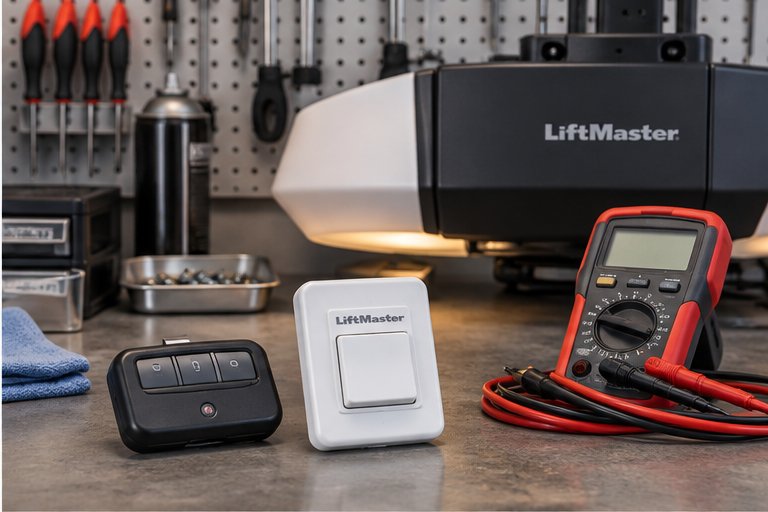
Why a door that moves by itself matters
A garage door that opens or closes with nobody touching it is more than a curiosity. A door that opens while you are away leaves the house exposed. A door that closes unexpectedly can strike a person, a pet or a vehicle. Even when the cause turns out to be harmless, the behavior deserves attention.
The good news is that the cause is usually findable. An opener does not move on its own; it moves because it received a signal, because a setting told it to, or because something in the circuit is creating a signal that looks real. Your job is to work out where that signal comes from.
This page walks through the common sources in a sensible order, starting with the simplest. Not every cause will apply to your door. If your door is also noisy, heavy or behaving strangely in other ways, mention that when you talk to us, because it can point to a different problem.
Start with what the door is actually doing
Before looking for causes, observe the pattern. Does the door move at about the same time each day, or does it seem random? Does it happen when the weather is rough, when someone is home, or when you are asleep? Does it open, close, or both? Does it travel all the way, or stop partway and reverse?
Write down a few events. Note the time, the weather, and whether any other device nearby was in use, such as a car arriving, a garage freezer cycling, or a neighbor's door. Even a rough log helps, because it tells us whether we are looking at an electronic signal, a power event or a mechanical fault.
If the door only moves when you press something, that is normal operation. The cases here are those where nobody pressed anything. Sometimes a family member pressed a button and forgot. Ask everyone in the household, including children, before assuming a fault.
It also helps to notice whether the door stops in the same place each time. A door that always travels to the fully open position and stays there suggests a signal that was received once. A door that cycles up and down repeatedly suggests a signal being sent over and over, which points toward a stuck button or a short in the control wiring. A door that opens slightly and stops points toward the travel settings or a mechanical fault rather than a stray signal.
Wiring faults and the safety circuit
Besides the wall control, the opener has wires running to the safety sensors near the floor. If one of those wires is shorted or partly cut by a staple, a rodent or years of vibration, the opener can misread the circuit. In some designs a fault produces an unexpected reversal, which looks like the door opening on its own after a close.
Rodents are a known cause in Florida garages. A chewed wire can touch another and create a signal. Look at the wires you can see without touching them. A bare copper conductor, a crushed section or a staple through the insulation is a problem.
Do not splice or tape wires yourself unless you understand the circuit, because the opener connects to household power. If you see damage, switch the opener off at its plug, stop using the door electrically and call us. Our page on sensor lights blinking explains how the sensors report problems.
Radio interference and other signals
Openers listen on a radio frequency. Anything that produces a strong signal on or near that frequency can occasionally confuse them. Older openers with fixed codes are more vulnerable than modern rolling code units, but even modern units can be affected by noise.
Possible sources include nearby construction equipment, amateur or commercial radio gear, some LED lighting drivers, poorly made chargers and battery packs, and in rare cases nearby military or airport equipment. Interference tends to be intermittent and linked to a location. If the problem started after a neighbor installed something new, or after you changed the lighting in the garage, that is a clue.
A technician can check for interference by testing the opener with the antenna positioned differently, by temporarily switching suspect devices off, or by replacing the receiver. If your opener is an older fixed-code model, upgrading is the sensible fix. Our page on a neighbor's remote opening your door looks at that related case.
Programmed settings that move the door
Some openers have features that deliberately move the door. A timer-to-close option closes the door automatically after it has been open for a set time. Smart openers can be scheduled through an app, or tied to a location, so the door opens when a phone arrives or closes when it leaves.
A feature you set up and forgot can look like a fault. A previous owner may have enabled one. A phone with location services can trigger the door when it passes a boundary, even when you did not intend it. Check your app for schedules, geofencing and automation rules, and check every account linked to the opener.
Shared accounts are common, and so are old ones. If a family member, a former tenant or a contractor still has access, they may be triggering the door without realizing it. Our guide to smart garage door opener basics explains the settings to look at. If you find automation you did not set, disable it and watch whether the behavior stops.
Power events and electrical glitches
Power matters more than people think. A surge, a brownout, a flickering supply or a loose plug can cause an opener's electronics to behave oddly. After a lightning storm, a tripped breaker or an outage, an opener may reset and, in rare cases, move or lose its settings.
Storms are common in this part of Florida, and lightning near a house can induce spikes in cables. If the strange behavior began after a storm, mention it. Check that the opener is plugged into a firm outlet, ideally one that is not shared with a heavy appliance, and that nothing about the outlet looks scorched.
A surge protector made for sensitive electronics can help. The right place and type depends on the installation, and we can advise on this. If the circuit board has been damaged by a surge, the opener may behave erratically until it is repaired or replaced. Our page on opener repair explains how we assess that.
When the door drifts rather than being driven
Sometimes the opener is not involved. A door that moves on its own without any motor running is a mechanical problem. It may creep open or slowly settle closed because the springs are out of balance, the door has been disconnected from the opener, or the weight of the door is no longer matched by the springs.
Check whether you hear the opener running. If the motor is silent while the door moves, the cause is mechanical. A balanced door should stay where you leave it when disconnected. A door that rises, falls or drifts is a safety concern, because it can fall.
Do not try to adjust the springs yourself. They hold dangerous tension. Keep people and pets clear of the door and call us. Our page on a door that drifts or falls explains the mechanics. If someone is hurt by a falling door, call 911 first.
Safety sensors, auto-reverse and unexpected closing
If the door closes when you did not intend it, consider the safety features. A door should always reverse if the beam is blocked or if it meets resistance. A door that closes onto an obstruction without reversing has a safety fault, and you should stop using it until it is tested.
Our guide to garage door safety tests describes simple checks of the sensors and the auto-reverse. They are designed for homeowners and use common objects such as a roll of paper towels. Perform them only with the door in good condition, and stop if the result is unsafe.
A door that closes in the middle of your driveway time, or that closes when you leave the garage, may be responding to a timer, an app or a stuck button. It is not responding to the sensors. Keep children and pets away from the area while you investigate.
Simple checks you can make safely
These checks require no tools and no work on the springs, cables or brackets. Do them one at a time, and give each a few days before moving on if the problem is intermittent. Stop if you see damaged wiring, smell burning, or notice the door behaving dangerously.
Write the results down. A short list of what you checked and what you saw makes a technician's job easier and helps us reach the cause more directly.
- Collect every remote and keypad in the household and remove batteries from them one by one
- Look at the wall control for sticky buttons, moisture marks or damage
- Check your smart opener app and linked accounts for schedules and automation
- Look at the visible wires near the opener and sensors for chewed or crushed sections
- Unplug the opener for a day and see whether the door still moves, which separates electrical causes from mechanical ones
- Note the time and weather whenever the door moves unexpectedly
What a technician checks
We usually start with the signal path. That means testing each remote, the keypad, the wall control and the wire to the opener, then looking at the receiver, the circuit board and the sensor circuit. We check for programmed features and look at the app and accounts if the opener is connected.
Then we look at power. We check the outlet, the plug, signs of surge damage and any history of storms. If we suspect interference, we test with the antenna in other positions and switch off suspect devices.
Finally we check the door's mechanical side, because a door that drifts is a different problem from one that is driven. We test balance, track condition and the connection between door and opener. We explain what we find in plain terms and set out the options before any work.
Repair, reprogram or replace
Many cases end with something modest: a replaced wall control, a remote that has been taken out of service, a reset of the opener's memory so that only the remotes you want are paired, or a changed setting. Reprogramming the opener so that old remotes no longer work is a good step after any security worry.
Where the circuit board has been damaged, or where an old fixed-code opener is behind the problem, replacement may be the right answer. Our page on opener replacement explains what is involved, and the guide to choosing a garage door opener gives background on what to look for.
We will not recommend a bigger repair than the problem requires. If a small change solves it, we say so.
Protecting your home while you find the cause
Until the cause is found, you can reduce risk. If the door opens on its own while you are away, unplug the opener or use a vacation or lock setting if your model has one, then close and secure the door by hand. Do not rely on the door if you cannot be sure of it.
If it closes on its own, keep people, pets and vehicles clear of the opening. Teach everyone in the household to stand clear whenever the door is moving, and never run or play under a closing door.
If you rent the property or manage it for someone else, tell the owner or the property manager what you have seen, and keep any notes you made. Tenants, cleaners, delivery drivers and guests may all have remotes or codes, and a record of when the door moved makes it far easier to separate a fault from ordinary use. Change any keypad code that has been shared widely, and take back remotes that are no longer needed.
When you are ready, contact us and describe the pattern you noticed. The details you give us, including the times, the weather and anything that changed, often save us time and help us reach the cause sooner.
Questions and answers
The usual causes are a remote button being pressed in a bag or car, a stuck wall control button, a smart opener schedule or location trigger, or interference. Collect your remotes and remove their batteries, then check your app for automations. If the door still opens, the wall control or wiring needs testing.
It can on older openers that use a fixed code set by small switches, because two homes may share the same pattern. Newer rolling code openers are far less likely to be affected. If you suspect this, reprogramming or replacing the opener is the sensible step, and we can explain the options.
It can be. A door that closes unexpectedly could strike a person, pet or car. A door should always reverse when it meets an obstruction, so test that feature and stop using the door if it fails. Keep everyone clear while the cause is found.
Yes. Lightning, outages and surges can damage or reset the electronics, which may lead to erratic behavior. If the trouble began after a storm, tell us. A technician can check the circuit board, the outlet and the settings, and advise whether a repair or replacement makes sense.
Remove the batteries from every remote and keypad and watch the door for several days. If the behavior stops, one of them was the cause. If it continues, the wall control, wiring or opener electronics are more likely. A technician can test each part directly.
A door that moves without the motor running is a mechanical problem, often a balance issue or a door that has been disconnected from the opener. It can drop or rise unexpectedly. Keep clear, do not touch the springs or cables, and call us to inspect it.
If the door opens when you are away or closes unpredictably, unplugging the opener and operating the door by hand with the release is a sensible precaution. Take care, because a garage door is heavy. If it feels heavy or unbalanced, leave it closed and call us.
Yes. Schedules, geofencing and shared accounts can all trigger a door. Review every setting and every linked account, including old ones from former residents. If you find automation you did not set, disable it and see whether the movement stops.