
What it means when a stranger's remote moves your door
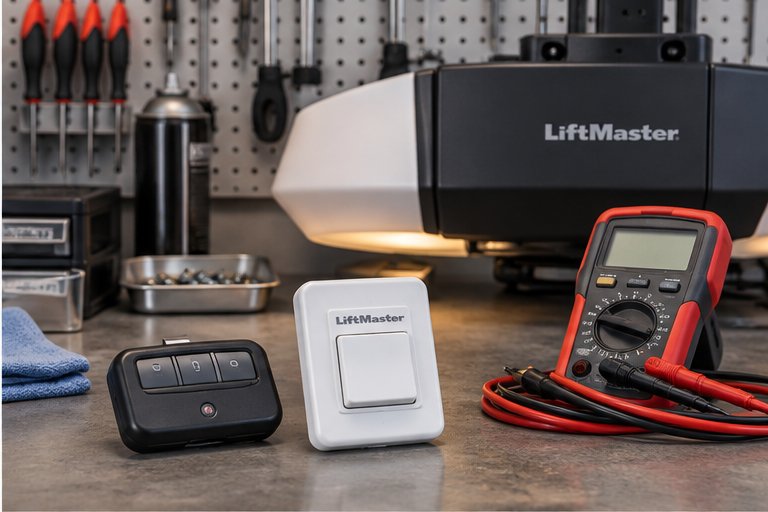
Hearing your opener start up with nobody home, or learning that a neighbor's remote opens your door, feels like a security problem, and it deserves to be taken seriously. It is also usually explainable. Garage door remotes are small radio transmitters, and your opener contains a small radio receiver waiting for a signal it recognizes.
If the receiver recognizes a signal that did not come from one of your own remotes, one of a few things is going on. The two devices may share the same code, the receiver may be set to accept far more than it should, or a remote may be sending a signal on its own. None of these means the door is broken in a mechanical sense. They are all questions about the radio side of the system.
Start by noticing the pattern. Does it happen only when a particular neighbor drives past, or at random hours? Does the door open or close? Does it happen when you are the only person home? The answers point toward the cause, and they are worth writing down before you contact anyone.
How a remote and an opener talk to each other
When you press the button on a remote, it sends a short burst of radio signal that carries a code. The receiver in the opener listens for that code. If it matches one the opener has stored, the opener runs. If it does not match, the opener ignores it.
Over the decades, the way that code is built has changed. Older systems used a fixed code, set by a row of small switches inside the remote and the opener. Newer systems use a code that changes every time the button is pressed, so a copy of an earlier signal is useless. Understanding which kind you have explains most neighbor stories.
For the broader picture of how the opener, the remotes and the door fit together, see how a garage door works. The radio link is only one part, but it is the part that answers to this problem.
Why fixed codes allow overlap
A fixed-code system has a limited number of possible settings. When a subdivision is built at about the same time and many homes receive the same style of opener, it is entirely possible for two houses to land on the same setting. When that happens, each household's remote works on both doors.
This was far more common years ago, and it is the most likely explanation if your opener is old enough to have a row of switches behind a cover on the motor unit or inside the remote. You may remember adjusting those switches to match, which is exactly the point: the number of combinations was never very large.
The overlap does not require anyone to be doing anything wrong. Two neighbors can each have a perfectly working remote and still be able to open each other's doors without knowing it. That is why the usual answer is to change the code or move to a system where the code is never the same twice.
Rolling codes and why they help
Modern openers use what is generally called a rolling or changing code. Each time you press the button, the remote sends a new code from a long sequence that both sides follow. The receiver accepts the next valid code and moves forward in the sequence, so an old code stops working.
The number of possible sequences is enormous compared with a set of switches, which makes accidental overlap between two houses extremely unlikely. It also means that a signal someone might capture and replay later does not open the door.
If your opener is of this newer type and a neighbor's remote still opens it, the cause is probably not code overlap. Look instead at how remotes were added, whether the opener still remembers a remote it should have forgotten, or whether a remote is faulty. Those possibilities are covered below.
Other reasons a door can open without your remote
Before assuming a neighbor is involved, rule out the ordinary causes. A door that opens or closes by itself is more often caused by something simple than by anything mysterious.
Several everyday things can send a signal or mimic one, and each can be checked without tools.
- A remote with a button pressed down by keys, a seat cushion or the bottom of a bag, sending a signal repeatedly
- A wall control or keypad with a damaged button or moisture inside it, which can behave as if someone is pressing it
- A second remote that you forgot about, now belonging to a past owner, a tenant or a family member
- A phone app or connected accessory linked to the opener that someone else can reach
- Radio interference from a nearby device that crowds the same band the receiver listens on
- A receiver that has started to misread signals as its parts age
A remote that is pressing itself
A remote left in a vehicle can be squeezed by something on the seat. It may send a signal while parked in the driveway, and the door will respond. Pick up each remote and look at whether any button sits flat or sticks down.
Old remotes nobody remembers
Homes change hands, and so do rental units. A remote from a former occupant or a guest can quietly remain in the opener's memory for years. Clearing the memory, described below, removes every one of them at once.
A simple way to test what is going on
You can learn a good deal without touching the opener. Make a note of the time and what the door did each time it happened. If you can, ask the neighbor, politely, whether they would try their remote near their own door and near yours, while you watch from a safe spot with the area around the door clear.
If their remote moves your door every time, you likely have an overlap of codes, and clearing and reprogramming is the appropriate answer. If it only happens at odd moments and nobody is nearby, suspect a stuck button, a damaged wall control or interference.
Keep people, pets and vehicles clear of the door path during any test. A door that moves without warning is a safety concern in its own right, particularly for children, and it is worth taking extra care if there are little ones or pets in the house.
Write down what you learn, including the dates and the rough distance of the remote that caused it. That short record helps a technician decide sooner whether the opener, a remote or the wall control is the likely source. It also keeps you from repeating tests that have already answered the question, which matters when several family members each have their own remote.
Clearing the opener's memory
The most effective step for most households is to erase every stored remote and then teach the opener only the ones you want. Most openers have a learn button on the motor unit, often near the antenna wire or under the light cover. Holding that button for several seconds usually clears the stored codes, and a light typically changes to confirm it.
The exact steps differ from one model to the next, and the label on the motor unit or the owner's manual will show the right procedure for yours. We do not describe a model-specific method here because a wrong guess can leave you with an opener that accepts nothing.
Keep one remote in your hand while you clear the memory so you can test the result at once. A cleared opener should ignore every remote until you teach it again, and a single press from the doorway confirms that the erase actually worked. If the door still responds to a remote you did not teach, the memory did not clear and the opener needs a closer look.
Reaching the motor unit normally means standing on a stepladder under the ceiling. If you are not steady on a ladder, or the unit is high, have someone help or have a technician do it. Stop immediately if anything feels unstable. The springs and cables above and beside the door should never be touched; this task involves only the motor unit's buttons.
Teaching the opener only your own remotes
After the memory is cleared, add each remote and keypad you actually use. Gather them all first: every vehicle remote, every visor clip, every keypad and any wall control that has a learning step. Work through them one at a time so you can account for each.
Adding a remote usually means pressing the learn button, then pressing the remote button within a short window until the opener's light blinks or a click is heard. Repeat for each device and then test them from inside and outside the garage.
If the steps fail or a remote will not be accepted, the problem may be the remote rather than the procedure. See a remote that is not working for a closer look. Our remote and keypad programming service covers the same work at the property.
When the neighbor still opens your door
Sometimes you clear the memory, reprogram, and still find a stranger's remote working. That points back to the opener itself. A receiver that has worn out, an old fixed-code model, or a unit with a damaged board may keep accepting signals that it should not.
At that stage it makes more sense to stop adjusting and look at the opener as a whole. If the unit is old enough that it uses a fixed code, there may be no way to make it truly distinct, and replacement is the sensible route.
A technician can check the receiver, the learn button and the logic board, and explain whether repair is realistic. When it is not, garage door opener replacement gives you a unit with a changing code and modern safety features.
Locking the door while you sort it out
While the cause is still unknown, treat the door as less secure than usual. Many openers have a vacation or lock feature on the wall control, which tells the opener to ignore remotes until it is switched off. If yours has one, use it when the home is empty.
Also check the entry door from the garage into the house. Many break-ins go through that door, and a deadbolt that is actually used does more for you than any remote setting. Keep the garage door closed when you are home and when you leave, and do not leave a remote visible in a parked vehicle.
For ideas that go beyond this one problem, garage door security tips gathers habits and hardware that make a garage harder to enter. Small habits matter as much as the opener itself.
When replacement is the sensible choice
If your opener is of the older fixed-code type, reprogramming only changes the setting inside a small range. The next neighbor with a similar unit can land on the same code again. Replacement with a changing-code opener ends the matter in a way that adjustment cannot.
Replacement also brings the safety features that older units lack, including sensors at the bottom of the door and a reversing function that responds to an obstruction. Those are worth having whatever the radio situation is.
Our guide to choosing a garage door opener explains the main decisions, and a technician can look at the existing door to make sure the new unit suits its weight and balance. We will explain what we find and what the options are.
What a technician checks on a visit
When we come to look at an opener that responds to the wrong remotes, we begin by finding out which kind of code it uses. We check the learn button, clear the stored memory and then program the remotes you want, testing each one from different distances.
We also test the wall control, the keypad and the safety sensors, because a door that behaves oddly may have more than one issue. We confirm that the door reverses when it meets an obstruction, and that the manual release works as it should.
If the radio side is sound, we tell you so. If the opener is nearing the end of its life, we explain that clearly and describe your options without pressure. The goal is a door that responds only to the people you choose.
Questions and answers
It is not unusual with older openers that use a fixed code set by small switches, because many homes share the same limited settings. With a modern changing-code opener it should not happen. Either way, clearing the stored remotes and reprogramming the ones you use is the usual first step, and a technician can confirm which kind you have.
Most cases come from overlapping codes, a stuck remote button or a forgotten old remote rather than from anyone with bad intent. Still, treat it seriously. Use the lock feature on the wall control while you are away, keep the door to the house deadbolted, and have the opener checked if the problem continues. We will explain what we find and what the options are, and the decision about what to do next stays with you.
Most openers have a learn button on the motor unit. Pressing and holding it for several seconds usually clears every stored remote, and a light changes to confirm. The exact steps differ by model, so use the label or manual. If a ladder is needed and you are not comfortable, ask for help. We will explain what we find and what the options are, and the decision about what to do next stays with you.
On a fixed-code opener it changes your setting but cannot remove the chance of overlap, so a similar problem could return later. On an opener with a changing code, clearing and reprogramming normally ends the issue. If the receiver is faulty, no amount of reprogramming will help and replacement becomes the better choice. We will explain what we find and what the options are, and the decision about what to do next stays with you.
Look for a remote with a pressed button, a wall control or keypad with moisture inside, a connected app that someone else can reach, or interference from a nearby device. Remove remotes from the area one at a time to see whether the behavior stops, and ask a technician to check the receiver if it continues.
Not always. If the opener uses a changing code and simply holds old remotes, clearing the memory is often enough. If it is an older fixed-code unit or the receiver is failing, replacement is more reliable. A technician can look at it and explain the options before you decide anything. We will explain what we find and what the options are, and the decision about what to do next stays with you.
Often yes, as long as you can reach the learn button safely and have the manual or label for your model. Never touch the springs, cables or brackets on the door. If the steps do not work or a ladder feels unsafe, it is reasonable to have a technician handle it. We will explain what we find and what the options are, and the decision about what to do next stays with you.