
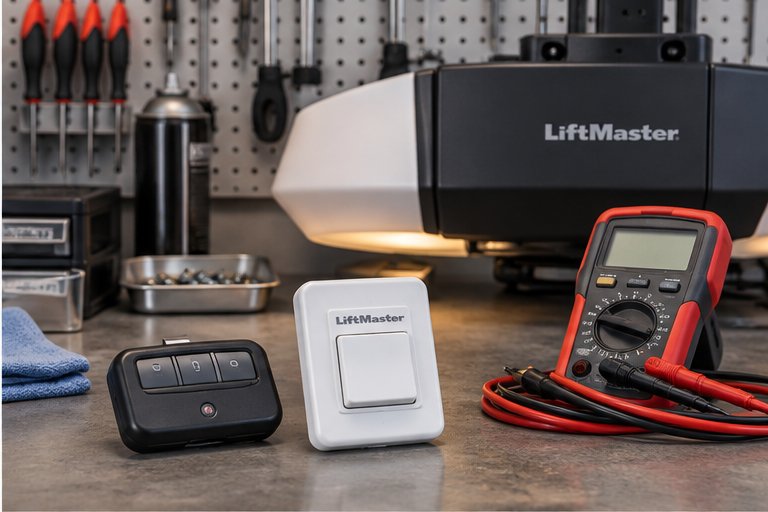
What a smart garage door opener really is
A smart opener is an ordinary garage door opener with a way to talk to your home network. Some models have Wi-Fi built in. Others work with a small add-on hub that connects to the opener and then to your router. Either way, the door still moves the same way it always has: a motor, a drive and a set of safety sensors.
What the smart part adds is communication. Your phone can send a command, and the opener can report whether the door is open or closed. Many people like having a notification when the door is left open overnight, or being able to let in a family member or a delivery person without a trip to the garage.
It helps to think of two separate layers. The first is the physical door system, which we understand well. The second is the network and app layer, which depends on your router, your phone and the company that makes the app. Our work focuses on the first layer and helps you reach the second.
Why the door comes first
Adding smart controls to a door that is out of balance, loud or unreliable does not fix the underlying problem. It only gives you a new way to find out that something is wrong. Before we connect anything, we look at how the door and opener behave.
That means testing the safety reverse, checking the photo eyes and watching the travel for hesitation or strain. A smart feature that opens a door remotely is only as safe as the door and the sensors underneath it. If we find a worn spring, a loose arm or sensors that do not respond, we explain that first and suggest fixing it before adding remote access.
You can read about the sensors on our page about safety sensor alignment and repair.
Smart controls in general terms
Smart garage products come in a few common forms, and the names vary by maker. Understanding the general types helps you decide what fits your home.
Openers with built-in connectivity
Some newer openers include Wi-Fi or a similar radio inside the head unit. You pair the opener with an app from the maker and connect it to your home network. These are the simplest setups when they suit your phone and your router.
Add-on hubs and controllers
A small device connects to the opener, either through the wall control wiring or through the opener built-in port, and talks to your network. This is a common way to add smart features to an opener that does not include them. Compatibility depends on the opener model and its age.
Smart remotes, keypads and accessories
Not every smart feature needs a phone. Keypads, key fobs and in-vehicle systems can also be part of a connected setup. Our page on remote and keypad programming covers these accessories.
Compatibility: the question to ask first
Not every opener can be connected, and not every smart product works with every opener. Age, manufacturer, wiring and the type of radio the opener uses all affect what is possible. Some older openers can accept an add-on device. Others lack the connection point and are not good candidates.
We do not promise that a particular app or device will work with your unit. What we can do is look at the opener model, identify what it supports, and tell you honestly what is likely to work and what is not. If compatibility is poor, we explain whether replacing the opener makes more sense, and our page on opener replacement and installation describes that route.
If you already own a smart device and are not sure whether it fits your opener, have the model and any labels ready. Our guide to reading your garage door label and opener data shows where to find them.
- The opener model and approximate age.
- The type of wall control and whether it has extra wiring.
- Whether the opener has learn buttons or a built-in radio.
- The photo eyes and whether they are in working order.
- The device or app you hope to use, if you already have one.
Your Wi-Fi network matters more than people expect
A smart opener is only as reliable as the connection it sits on. Garages are often far from the router, behind thick walls or masonry, and surrounded by metal that blocks signals. A device that works fine in the kitchen can lose its connection once it is mounted on the garage ceiling.
Before setup, it helps to check the signal strength where the opener or hub will be. Your phone can show you whether the garage receives a usable signal. If it does not, a router in a different spot, a mesh node or an access point nearer the garage may be the real fix, and that sits on the network side, not the garage side.
Most smart devices of this kind connect on a common household band and may not work on a network that is set up differently. If your home network uses special settings, be ready to look at them or have whoever manages your network help.
How app setup usually goes
Although each maker has its own steps, most setups follow a similar pattern. Knowing the outline helps you feel comfortable with what happens during a visit.
- Install the app and create an account with your own details.
- Connect the opener or hub to power and put it in pairing mode.
- Join the device to your home Wi-Fi network using the app.
- Link the device to the opener and confirm that the door responds.
- Test open, close and status reporting while the door is in view.
- Set up notifications and any other preferences that you want.
Your account stays yours
We help you get through the steps, but the account, the password and the privacy choices belong to you. We do not need to keep your login details, and we suggest that you create the account yourself with a strong, unique password.
Testing with the door in view
The first remote tests should happen while someone is standing where they can see the door and its path. Make sure that people, pets and vehicles are clear, since the door can move when a command arrives from a phone.
What a technician can and cannot promise about third party apps
We install, adjust and test garage door equipment. We cannot control the apps made by other companies, the servers they run or the changes they make over time. Apps are updated, services change and sometimes features are added, removed or moved behind new terms.
For that reason we do not promise that a particular app will keep working in the same way, that it will always be available or that it will connect to every smart home platform you may use. We also cannot promise that a third party service will never have an outage.
What we can do is make sure the door, the opener and the safety system are working properly, connect the device as the manufacturer describes and test that it responds. If an app problem appears later, the maker support channel is usually the right place for the account and software side, and we are here for the door and opener side.
Privacy and security basics
A garage door opener that connects to the internet becomes part of your home security. A few sensible habits keep that connection from becoming a weak point.
- Use a strong, unique password for the app account, and do not reuse one from another service.
- Turn on two step sign in if the app offers it.
- Keep your home Wi-Fi password private and use a modern security setting on the router.
- Keep the app and the device software updated when updates are offered.
- Review who has access if you share control with family, guests or tenants.
- Remove access when someone no longer needs it, such as a former tenant or house sitter.
Consider what the door protects
Your garage often connects directly to your home. A garage door that can be opened by a stolen phone or a shared password deserves the same care as a front door lock. Our garage door security tips go into physical and electronic habits in more detail.
Old remotes and unknown signals
Older openers use fixed radio codes, while newer ones change codes with each use. If another remote seems to open your door, that points to a different issue, which we discuss on our page about another remote that opens your garage door.
Power outages, storms and smart openers
Smart features rely on power and on your internet connection. During an outage, the opener typically stops responding to the app, and the router may be off as well. Florida's summer storms and hurricane season make outages a normal part of life, so a smart opener should never be your only way into the garage.
Know where the manual release is, and know how to use it carefully. Our guide on using the manual release during a power outage explains the steps and the stop points. A battery backup can keep the opener working through a short outage, which is covered on our page about battery backup for garage door openers.
Also think about what happens when power returns. Some devices reconnect on their own, while others need a restart. It helps to know which is true for yours before the first storm.
Smart features worth thinking about
Connected openers offer more than remote open and close. Some features are useful for most households. Others matter only in particular situations.
| Feature | What it does | Who finds it useful |
|---|---|---|
| Status alerts | Tells you if the door is open or closed | Anyone who worries about leaving it open |
| Scheduled close | Closes the door at a set time | Busy households and short term rentals |
| Shared access | Lets others open the door with their own login | Families, tenants and house sitters |
| Activity history | Logs when the door moved | People who want a record |
| Voice or home platform links | Connects to other smart home tools | Households with a wider smart setup |
Safety rules that still apply
Remote control does not change the rules that keep a garage door safe. The photo eyes must work. The door must reverse when it meets an obstruction. Children and pets should be kept away from a moving door, and children should never be given control of an opener.
Some regions and manufacturers require a warning light or sound before the door moves when it is closed remotely or on a timer. That behavior is part of how the equipment is designed to work, and we do not bypass it. If your opener has such a feature, it is there for a reason.
For more about protecting younger family members, read our page on garage door safety for kids and pets.
Smart versus standard: is it right for you?
A smart opener adds convenience and some peace of mind, but it also adds dependencies. If you rarely forget to close the door, travel seldom and prefer simple equipment, a standard opener with good remotes may be enough. If you want status alerts and shared access, a connected model is easier to live with.
Our smart and standard opener comparison sets out the differences, and our smart garage door opener basics guide explains how the technology fits together without jargon.
We will not push you toward more technology than you want. If the right step is a simple repair and no smart features, we will say so.
Getting ready for a setup visit
A little preparation makes the visit smoother and keeps the focus on the door. None of it is complicated, and most of it takes a few minutes.
Have your phone charged and your home network name and password to hand, since the device will need to join your network during setup. If you share the network with a landlord or a property manager, check that you are allowed to add a device. Clear the area around the opener and the door so the technician can reach the ceiling mount and the photo eyes without moving boxes.
It also helps to decide who should have access. Think about family members, a house sitter or a tenant, and whether each person needs full control or only the ability to check on the door. We are happy to talk through those choices so the setup matches how your household really uses the garage.
Troubleshooting a connection that drops
If your connected opener loses its link, a handful of checks come first. They are low risk and stay on the network side of things.
- Check whether your router is working and other devices are connected.
- Look at the opener or hub indicator light and compare it with the manual.
- Restart the router and wait for devices to reconnect.
- Confirm that the app is updated and that you are signed in.
- Check the signal strength where the device is mounted.
When the door itself misbehaves
If the door reverses, stops partway or does not respond to the wall button as well, the problem is probably not Wi-Fi. Start with the sensors and the opener. Our page about safety sensor lights blinking is a good place to begin.
When to call us
If the door works from the wall button but not the app, the issue is likely on the connection or account side. If it fails in both, or if it shows signs of strain, noise or crooked travel, contact us so we can inspect the door and opener.
Questions and answers
Not always. Many newer openers support smart features directly or through an add-on device, but older units may lack the connection point or the right radio type. We check the model and tell you what is realistic. When an opener is too old to connect well, replacing it may be the practical route.
We guide you through the steps, but we suggest you create the account yourself and choose your own password. That keeps your login private and under your control. We focus on connecting the device to the opener and confirming that the door responds correctly.
Apps and online services are run by the companies that make them, and we cannot control their updates or outages. If the door works from the wall button but not the app, the issue is probably on the software or account side, and the maker support is the right contact. We are glad to check the door side.
Usually not on its own. Smart features depend on power and on your internet connection, and both can go down in a storm. Learn to use the manual release carefully, and consider a battery backup if you want the opener to keep operating through a short outage.
It can be, as long as the photo eyes and reversing features are working and you understand that the door may be moving where you cannot see it. Use strong passwords, review who has access and be careful about closing the door when you cannot confirm that the path is clear.
Garages are often far from the router and surrounded by concrete block, metal and other obstacles that weaken signals. A mesh node, an access point closer to the garage or a different placement of the device may help. Your phone can show you whether the garage gets a usable signal.
Many connected systems allow shared access, either through separate logins or invitations. The options vary by maker. Remember to remove access when someone leaves. If you own a rental, our guide on garage doors in rental properties covers other points to think about.