
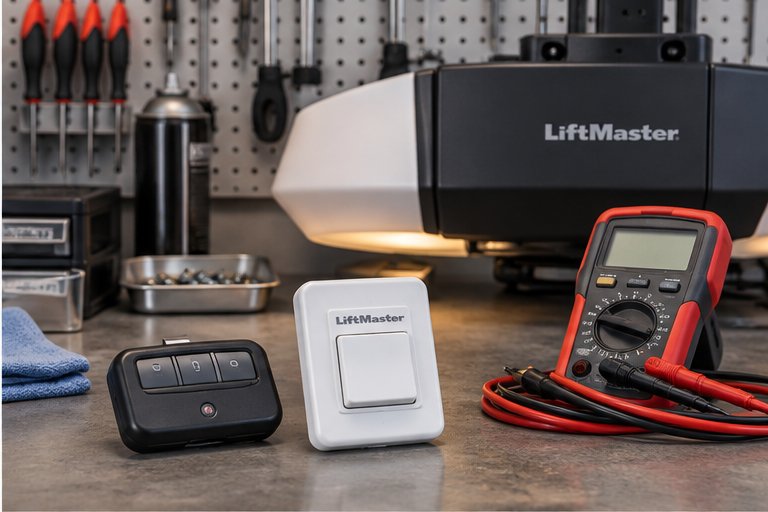
Why an Opener Flashes or Clicks at All
Modern openers are small computers wired to a motor. They watch the sensors, the wall control, the remote receiver, the travel limits and sometimes the force the motor is using. When something does not match what the opener expects, it often responds with a flashing light, a series of blinks or a click from the relay inside.
The flashing is a message, not a failure in itself. It usually means the opener has noticed a problem and has stopped or refused to start for safety. Reading the message correctly can save a lot of time, and ignoring it can lead to repeated attempts that wear parts or hide the real cause.
The catch is that every manufacturer uses its own language. A pattern that means one thing on one brand can mean something else on another, so general guidance can only take us so far.
Three Different Things People Mean by Flashing
When someone says the opener light is flashing, they might be describing one of three very different things. It helps to work out which one you are seeing before you worry.
The main lamp blinks
The bright bulbs or LED panel under the opener cover flash a number of times, either when the opener is powered up or after a button press. On many models, this is a deliberate signal. It may refer to a sensor problem, a learning mode, a security mode or a fault that needs to be cleared.
A small status light blinks
A tiny LED on the motor housing or near the learn button flashes in a pattern. This is the opener's diagnostic display. The count of blinks, the color and the rhythm are meant to be read against a chart in the manual or on the label.
The light is steady but you hear clicking
If the opener clicks when you press the button but does not run, the sound often comes from a relay on the logic board that is trying to switch. This points to a power, board or wiring issue rather than a lamp issue.
Your Manual and Your Label Come First
Because brands differ, the most reliable key to the blink codes is the manual for your exact model. If you have lost it, the label on the motor housing usually carries the model number, and the manufacturer's support pages often have manuals you can read at home.
Look also at the inside of the light cover and the side of the motor unit. Some manufacturers print a small chart there. It may be faded, but it can be helpful.
If you cannot find the model or the chart, do not guess. Wrong guesses lead to changing the wrong setting, and some openers erase their remotes or limits when you press certain combinations. Our guide to opener indicator lights describes the general ideas behind these displays.
Common Patterns in General Terms
With the caution above in mind, certain themes show up across many openers. The table below lists general ideas, not exact codes. Use it to organize your thinking, not to replace the manual.
| What you notice | General idea | Careful first step |
|---|---|---|
| Lamp flashes for a while after a button press | Sensor beam problem or sensor wiring | Clear the beam path and wipe the lenses |
| Lamp flashes when power returns after an outage | Opener restarting or showing a stored fault | Wait and try again after a short rest |
| Status light blinks a set number of times | Fault code listed in the manual | Count the blinks and look up the chart |
| Clicking, no motor movement | Relay switching without enough power or a stuck motor | Check the door by hand, release if needed, and stop |
| Lamp flashes when you press the remote | Remote learning or security mode | Review the remote and lock settings |
| Flashing with a door that stops short | Travel limit or force setting concern | Do not adjust, note where it stops |
Flashing Linked to the Safety Sensors
On many openers, a flashing lamp after you press the button is a warning about the safety sensors. The opener has seen a broken or missing beam and will not close until the problem is fixed. You may see it combined with a blinking light on one of the sensors themselves.
Start with the obvious: look for something in the way and wipe the lenses. If the flashing continues, the sensors may be out of line, damaged or affected by sunlight. We cover this topic in more detail in our page on sensor lights that are blinking.
If you find that the sensors are fine but the flashing persists, remember that a sensor wire can also fail inside its insulation. A technician can test the circuit at the opener without guesswork.
Flashing After a Power Outage or Surge
Florida homeowners know the pattern well. A storm passes, the power drops, it returns, and now the garage opener behaves differently. Some openers flash their lamp briefly as they restart, and that is normal. Others hold a fault code until it is cleared or the cause is fixed.
A power surge can also damage the logic board. The signs are an opener that flashes oddly, clicks without moving, loses its remotes or refuses to respond to the wall control. If this happened after a storm, tell us about it, since it narrows the search.
If you have lost power and need to use the door, our guide on using the manual release during a power outage explains the safe steps and the points where you should stop.
Clicking Without Movement
A single click when you press the button, followed by silence, is different from a flashing light, but it often appears at the same time. The click usually comes from a relay on the logic board. The relay switches, but the motor does not run or does not receive power.
Several causes are possible. The board may have a worn relay. The motor's start capacitor may have failed on certain types. The motor may be seized or blocked. Or the door itself may be too heavy, because a spring has broken, in which case the opener struggles or refuses to try.
Never keep pressing the button over and over. Repeated attempts can overheat parts and can stress a gear that is already damaged. Stop, look at the door from the floor, and see if it hangs crooked, sits off its track or looks different from usual.
Check the door's weight by hand, with care
Only if the door is closed and you are confident about the release, you can pull the manual release and test whether the door feels extremely heavy. Do this only to learn whether you should stop. A door that is very heavy or drops hard when released is a sign of a spring or balance problem, and you should step away and call for help.
The Opener Light That Will Not Stay On or Off
Not every complaint about the opener's lamp is about diagnostics. Sometimes the lamp simply flashes, stays on too long or goes out too soon. Bulbs that are the wrong type, loose sockets, worn bulbs and failing light controls can all cause strange behavior.
Some openers use special bulbs, and a standard bulb that vibrates may flicker or burn out early. Others use sealed LED boards that can fail as a unit. If the lamp is the only problem, the opener itself may be fine.
If you want to understand why bulbs fail repeatedly, our page on a garage door light bulb that keeps burning out explains the common reasons, from vibration to bulb type.
Learning Mode, Security Modes and Remotes
Some openers flash their lamp in response to remote programming or a security feature. If you recently added a remote, changed a keypad code or pressed and held a learn button, the flashing may be part of that process. It usually stops when the step is finished or timed out.
Rolling-code systems change their code each time a remote is used, so a remote that was copied or lost can leave the opener confused. If you suspect that someone else has a remote that should not work, treat that as a security matter and review the stored remotes.
For the basics of how pairing works, see our guide to programming garage remotes and keypads. Do not hold the learn button for a long time unless the manual says so, since a long press can clear all stored remotes.
Checks You Can Safely Try
Work from the floor with the door either fully closed or fully open. Do not reach into the track or touch the springs, cables or brackets. Keep your face and hands away from the opener while it is running, and do not climb onto the opener or its rail.
If any step feels uncertain, stop. A flashing opener is rarely an emergency, and a patient visit is better than a rushed adjustment.
- Write down exactly what you see: which light flashes, how many times, and when.
- Look for the model number on the motor housing and find the matching manual.
- Clear the area around the door opening and wipe the safety sensor lenses.
- Check whether the wall control has a lock or vacation setting turned on.
- Try the opener with the remote and with the wall button, and note any difference.
- Unplug the opener for a short while only if it plugs in at an easy, dry outlet, then plug it back in. Do not do this if you must climb or reach near the door.
- If the light still flashes or the opener only clicks, stop and arrange an inspection.
Keeping a Short Log for the Technician
Intermittent flashing is hard to catch on a single visit, because the opener may behave perfectly while we are standing in the garage. A few notes from you can make up for that. Write down the date, the time of day, the weather, and what the opener did.
Patterns often appear within a week. You may find that the flashing happens only after rain, only when the sun is low, only after the garage entry door closes, or only when the car is parked a certain way. Each of those points to a different cause, such as moisture, glare, vibration or a stored item in the beam.
Take a short phone video if you can. A clip that shows the lamp, the sound and the door movement together is very useful, and it avoids long descriptions that are easy to misread.
Different drive types, different sounds
Chain, belt and screw drive openers each make their own normal sounds. A chain unit is louder, a belt unit is smoother, and a screw unit has a distinct hum. Knowing what is normal for your type helps you judge whether a click or a whirr is new. Your manual usually describes the sounds that are normal for your type.
What You Should Not Do
The temptation to open the opener housing is understandable, but the logic board and capacitor inside can hold a charge even when the unit is unplugged. Leave the cover alone.
Avoid pressing every button on the opener in the hope of clearing a code. Some combinations delete remotes or reset travel limits, and a reset opener can lower or raise the door the wrong distance, which risks damage or injury.
Do not adjust the door's springs, cables, brackets or the track. Those parts are under high tension. If someone is hurt at any point, call 911.
Why the Door Hardware Matters Too
An opener can flash or click because of something that has nothing to do with electronics. A door that binds in the track, a worn roller, a broken spring or a cable that has slipped can all raise the load on the opener until it gives up. Newer openers measure that load and stop when it is higher than expected.
That is why a proper diagnosis looks at the entire system, not just the opener. A flashing light on the motor can be a symptom of a door that needs attention, such as a spring problem that makes it very heavy. Our page on opener repair explains how we look at both sides together.
What We Do When We Visit
We come to the property, look at the door and the opener, and explain what we find. We read the flashing pattern against the model, check the sensors, the wiring, the wall control and the power, then test how the door moves by hand and under power.
If a part has failed, we explain the options. That might mean a sensor, a wire, a board repair, a new opener or work on the door itself. We will tell you what we find and what the options are, and you decide how to go ahead.
For a wider view of how the pieces fit together, see our guide to how a garage door works. It helps explain why a small light on a motor can point to a problem somewhere else in the system.
Questions and answers
On many openers, a flashing lamp after a button press is a warning, most often about the safety sensors, though it can also refer to other faults or modes. Clear the beam path, wipe the sensor lenses and check your manual for the pattern. If it keeps flashing, have the system tested.
A click with no movement usually means a relay on the logic board is switching but the motor is not running or is not getting power. Possible causes include a board fault, a failed capacitor, a seized motor or a door so heavy that the opener cannot try. Stop pressing the button and call for an inspection.
Some resets are safe, such as unplugging the opener briefly, but others erase remotes or travel limits. Follow your manual carefully and do not hold buttons down at random. If the flashing returns after a reset, the cause is still there and needs to be found.
Not necessarily. Many flashing patterns come from sensors, wiring, settings or the door hardware. A new opener is worth considering only if the board or motor has failed and repair does not make sense. We will explain what we find so you can choose with the facts in front of you.
Storms bring power drops, surges and moisture. A surge can stress the logic board, and moisture can affect sensors and wire. Some openers also flash briefly when power returns. If the flashing continues or the remotes stopped working, mention the storm when you call.
It helps but it is not required. The model is usually on a label on the motor housing. If you can read it, tell us. If not, we can identify the opener when we look at it. A short description of the flashing pattern is also useful.
If the door still moves normally and reverses when it should, you may be able to keep using it for a short time. If it acts strangely, moves unevenly or does not reverse, stop using the opener and use caution. Safety features should never be bypassed.