
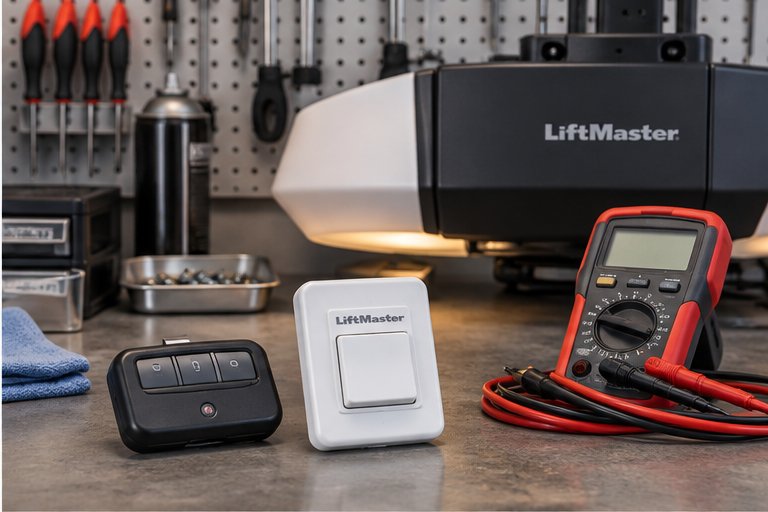
What makes an opener smart
Every modern opener does the same basic job: it moves a trolley along a rail or a chain to lift the door and lower it again, and it watches safety sensors while it does. A smart opener adds a small computer and a wireless connection to your home network, so it can be reached from a phone.
With that connection, you can see whether the door is open, open or close it from another room or another town, receive alerts and share access with other people. Some models also link to other smart home systems.
A standard opener has no network connection. It works with a remote control, a wall control and, if you install one, a keypad outside the door. Both types can be excellent, and both rely on the same door, springs and tracks underneath.
Side by side comparison
The table below summarizes the practical differences. Details vary by model, so treat it as a guide to the categories and not a list of promises for any one product.
| Area | Standard opener | Smart opener |
|---|---|---|
| Basic lifting | Moves the door with remotes, wall control and keypad | Moves the door the same way, plus phone control |
| Remote access | Only within range of a remote | From a phone wherever you have a connection |
| Status information | You look at the door | Phone shows whether the door is open or closed |
| Alerts | None | Notifications when the door opens or stays open |
| Access sharing | Share a remote or a keypad code | Share through an app, often with schedules |
| Security approach | Rolling code radio signals | Rolling code plus account login and network security |
| Setup | Simple; program remotes | More steps; needs a router and app setup |
| Dependence on internet | None | Smart features need a working connection |
| Upkeep | Mechanical care of door and opener | Mechanical care plus occasional app and firmware updates |
What stays the same
It is easy to get caught up in the app and forget that the opener is a machine attached to a heavy door. The smart or standard label does not change the mechanical side of the job.
Both types rely on balanced springs, aligned tracks, sound rollers and working safety sensors. Both stop and reverse when they meet an obstruction, if they are set up and tested correctly. Both can be fitted with chain, belt or screw drives.
A smart opener on a door that is out of balance will still struggle and wear out early. If your door is heavy to lift by hand, the first step is to have the balance checked, as described in our guide to garage door weights and balance.
Everyday convenience
The strongest argument for a smart opener is convenience. You can check whether you closed the door after leaving for work, close it from the driveway or from the road, and let a delivery person, a house sitter or a family member in without leaving a key under a mat.
Alerts help in a household where several people come and go. A notification that the door has been open for a long time tells you to look into it. Some systems let you set a schedule so that the door closes automatically at a certain hour, which is useful for forgetful households.
A standard opener asks you to do those things the old way. You press the remote, you look at the door and you hand over a keypad code. Many owners are perfectly happy with that. It is simple and has fewer things that can go wrong.
It is worth noticing which conveniences you will truly use. Plenty of owners buy a smart opener and rarely open the app, while others use it every day. Think honestly about which group you belong to.
Security considerations
Security is the subject people worry about most, and it deserves a clear answer. Both opener types use radio signals that change with every use, called rolling codes, so a captured signal cannot simply be replayed. That design has been standard for many years.
A smart opener adds a second layer: your account, your network and the cloud service. The account should have a strong, unique password, and the home network should be protected as well. Keep the app and the opener's software up to date when updates are offered.
No device is perfectly safe, and we make no claims that one type cannot be attacked. The sensible habits are the same for both: protect your remotes, change keypad codes now and then, and do not leave a remote in a parked car overnight. Our page on garage door security tips covers those habits in more detail.
Lost phones and shared access
With a smart opener, a lost phone is a bigger deal if the app is not locked. Turn on screen protection and know how to remove a phone's access. With a standard opener, a lost remote can be erased from the opener's memory, which is part of what we do in remote programming.
What to do about a neighbor's remote
Sometimes a neighbor's remote opens your door, usually because two openers share a code setup or an older fixed-code type. That is a reason to consider an upgrade. See our page on a neighbor's remote opening my door.
Power outages and storms
Storm season makes a difference in the comparison. A smart opener needs power and a home network to use its connected features. If the internet is out, phone control stops working, although the wall button and remotes still run the opener as long as it has power.
If the power goes out, neither type will lift the door on its own unless it has a battery backup. All openers have a manual release, and you can use it carefully to disconnect the door. The door will then be heavy and should be moved with care, and never when it is partly broken or off track.
A battery backup is a useful option for either type, especially in a hurricane zone. Our pages on battery backup for garage door openers and the manual release during a power outage explain what to expect.
Setup and installation
A standard opener is simple to set up. The installer mounts the motor unit, attaches the rail and trolley, connects the door and wires the sensors and wall control. Remotes are then paired with the opener, and force and travel limits are adjusted.
A smart opener involves all of that, plus a few steps on the network. The opener has to be connected to your router, an account has to be created and the app has to be paired. Weak wireless signal in the garage is a common problem. A garage far from the router may need a signal extender or a different position for the device.
None of this is difficult for a technician, but it can frustrate an owner who did not plan for it. If you prefer, our smart opener and wifi setup page explains how we handle connection and app setup.
Plan for a few minutes of your own time at the end of the visit. We show you how the remotes, keypad and wall control work, how to use the manual release safely and how to run the reversal test. If the opener is smart, we also show you the app basics and how to share access with others.
Who tends to prefer a smart opener
Smart openers suit households that like to know what is happening at home. Busy families, people who travel, owners of rental properties, and anyone who often wonders if they closed the door are the typical fans.
They also suit homes with deliveries or service visits when nobody is home, since you can open and close the door for a short time and watch the status. Short-term rentals in particular benefit from scheduled access that ends when a guest leaves.
If you already use other smart devices in your home, adding the opener fits naturally. If you do not, the learning curve is small, but it is real.
Who tends to prefer a standard opener
Standard openers suit owners who value simplicity. There is no app to maintain, no password to remember and no dependence on the internet. For a garage that is used only to park a car, that may be exactly right.
They also suit owners who do not want a connected device in the house, or who live where wireless signal in the garage is poor. A standard opener paired with a keypad covers most of the access needs of a typical household.
A standard opener can often be upgraded later with an accessory that adds some smart features. If you are not sure, you can start simple and add a connection when you want it.
Seasonal residents sometimes lean this way too. A home that sits empty for part of the year may not need a connected device that has to stay online, and a simple opener with a battery backup is one less thing to maintain while you are away.
Accessories and add-ons
Many features that people associate with smart openers can be added in pieces. Keypads allow code entry without a remote. Wall controls with a display show status. Battery backups keep the opener running through outages. Separate modules can add a phone connection to an existing opener.
The catch is compatibility. Not every module fits every opener, and older openers may not accept add-ons at all. Before buying anything, find out the opener's age and model, and check whether it supports accessories.
A technician can look at the opener and tell you what is possible. Our smart garage door opener basics guide explains the common options.
Keep wall controls and sensors in mind as well. A wall control with a lock feature helps when you travel, and sensors that are well aimed and clean prevent most nuisance reversals.
Drive types and noise
Smart or standard is a separate question from how the opener moves the door. Chain, belt and screw drives are all available in both types. Belt drives are usually quieter, chain drives are rugged and screw drives have fewer moving parts.
If noise matters, the drive type tells you more than the smart feature does. A smart opener with a chain drive will still be louder than a standard opener with a belt drive. Think about both choices together.
Our comparison of chain, belt and screw drive openers looks at those differences in detail.
Safety features that matter in either type
Whichever opener you choose, look at the safety features. Photo-eye sensors near the floor detect obstructions in the doorway, and the door should reverse if something breaks the beam. The opener should also reverse if the door touches something while closing.
Test these features after installation and from time to time afterward. Place a sturdy object in the path and see whether the door reverses. Do not test with a hand or foot. If the door does not reverse reliably, stop using the automatic close and have the opener checked.
Springs and cables carry dangerous tension and are not part of the opener. If the door is hard to lift, makes a loud bang or hangs crooked, do not use the opener and do not try to adjust the springs yourself.
Common setup problems with smart openers
Most trouble with a smart opener has nothing to do with the motor. It comes from the wireless connection, the account or the app. Knowing the usual suspects saves time.
The most common problem is weak signal. Garages are often built of block and concrete, which weaken wifi, and the opener sits high on the ceiling away from the router. Moving a router, adding an extender or relocating the wireless module can solve it.
Another frequent issue is a changed router or password. When the network name or password changes, the opener drops off and must be reconnected. Keep a note of the steps so you are not caught out.
App updates can also change how things look or work. If the app acts oddly after an update, check for a software update on the opener itself. If a stubborn problem remains, the opener can usually be reset and paired again.
Questions to ask before you buy
A short list of questions keeps the decision grounded. Write down your answers, and bring them to the visit.
- Do I actually want to check or control the door from my phone?
- Is the wireless signal strong where the opener will sit?
- Who else needs access, and how often?
- Do I want the opener to keep working in an outage?
- Is my door balanced and in good condition?
- Is noise a concern for rooms next to the garage?
- Do I want an opener that can be updated later?
A note about door condition
If your door is old, sticky or noisy, the opener may not be the real problem. A worn door can make a new opener look bad. We check the door first, then talk about the opener.
Planning your decision
Start with how you use the garage. If you want to monitor and share access, a smart opener is worth considering. If you want simple, dependable lifting with no extra steps, a standard opener is a good fit.
Then look at the rest of the system. If the door is out of balance, worn or noisy, fix that first, since a new opener will not solve those problems. Make sure the opener size and drive suit the weight and use of the door.
Finally, think about the future. Technology changes, and a standard opener with a battery backup may serve as long as a smart one. Choose the features you will actually use.
Next steps
If you want to talk through the choice, we can look at your door, check its balance and condition and explain which opener types suit it. We will tell you what we find and what the options are, without pressure.
Our guide on choosing a garage door opener offers a broader view, and you can contact us to have your door and opener looked at.
Questions and answers
It is worth it if you want phone control, status checks, alerts and shared access, and you have a reliable wireless signal in the garage. If you only need to open and close the door with a remote and a wall button, a standard opener does the job. The decision depends on how you use the space.
Both use rolling code radio signals. A smart opener adds an account and a network connection, so a strong unique password and updated software matter. Neither type is perfectly safe. Good habits, such as protecting remotes and changing keypad codes, apply to both. We make no claim that either is immune to attack. Strong passwords help.
Not without backup power. During an outage the opener has no power and the connected features stop. A battery backup keeps the motor running for a limited time on either type. You can also use the manual release carefully, but the door will be heavy to move by hand. Plan on a backup if outages worry you, because storms can last.
The wall button, remotes and keypad still work on most smart openers, because they use radio signals and not the internet. Phone control and alerts stop until the connection returns. A standard opener is not affected, since it never relied on the network in the first place. Check the wall button and remotes during an outage, since they may still work.
Sometimes. Certain accessories connect to compatible openers and add phone control. Older openers or those without the right ports may not accept them. A technician can check the model and tell you whether an add-on is practical or whether replacing the opener makes more sense. Compatibility depends on the opener model and its age. Compatibility depends on the model and its age, and we can check it.
No. The lifting depends on the motor, drive, springs and door balance, not on the network connection. A smart opener on an unbalanced door will still strain. If your door is heavy to lift, the balance should be checked before any opener decision is made. A balanced, well aligned door makes any opener run better.
The mechanical care is the same as any opener, including lubrication, checking sensors and testing reversal. The extra work is occasional app and software updates and keeping your wireless connection healthy. Many owners find it minor, but it is more than a standard opener asks for. A little care keeps it dependable. Many owners find that a minor trade for the convenience.
It should not. Modern openers pair each remote to its own unit with rolling codes. If a neighbor's remote opens your door, an older code system or a pairing problem may be involved. That is worth having looked at, and sometimes a reprogram or an upgrade fixes it. We can check the pairing and the code type for you.