
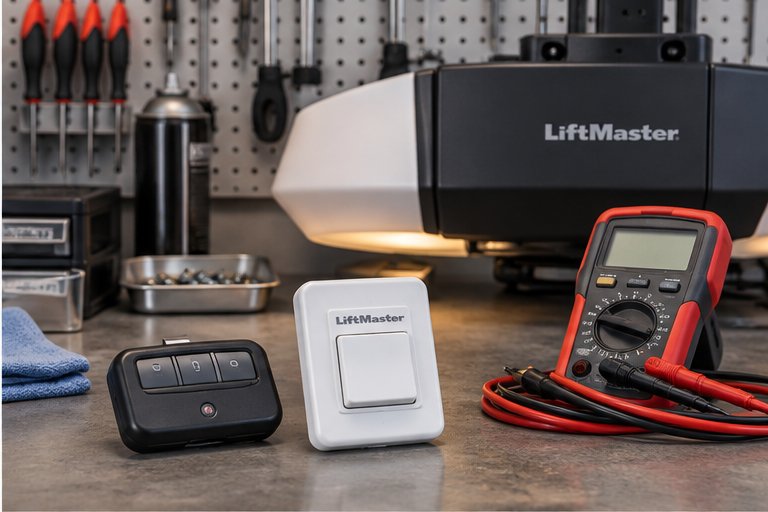
What people mean by smart
The word smart gets applied loosely, so it helps to be specific. In a garage, it usually means the opener can connect to your home wireless network and talk to an app on your phone. Through that app you can see whether the door is open or closed, and you can send a command to change it.
Some systems also connect to voice assistants, to home automation hubs, or to a delivery service that can open the door for a package. Each of these is an optional layer on top of the same basic opener. The motor, the rail, the sensors and the safety reversal work just as they do on a standard unit.
Two ways to get smart control
There are two common routes. Some openers have wireless connectivity built in from the factory. Others are standard openers that become smart through a small add-on device connected to the opener's wiring or its wall control terminals.
Built-in connectivity tends to be neat and tightly integrated, with one app and one account. An add-on device can bring smart features to an older opener that is otherwise sound, but it must be compatible with the opener model and installed properly. A technician can tell you which route suits your unit.
Built into the opener
The connectivity is part of the control board. The opener may have a status light that shows when it has joined your network, and setup usually happens in the app by following on-screen steps and the owner's manual.
Added through a separate device
A small module links to the opener's control terminals and to your network. It is useful for adding features to a trusted older opener, provided the opener's safety systems are current and working.
How the connection works in plain terms
When you tap a button in the app, your phone sends a request through the internet to the manufacturer's service. The service passes a message to your opener over your home wireless network, and the opener acts on it. The same path carries the door's status back to your phone.
This means a smart opener depends on a chain of working parts: your phone, the app, the internet, your router and the opener itself. When any one of them is down, remote control stops. The door still works with the wall button, the remotes and the manual release, which is a quiet reassurance.
What smart control is genuinely good for
Most people value smart control for peace of mind. A glance at the app answers the common question of whether you closed the door after leaving. An alert that the door has been open too long can prompt you to close it before the evening.
It also helps households with shared access. You can let a visitor or a trusted contractor in without handing over a physical key or a remote, and you can review a history of openings and closings. For people who travel, that visibility is a real convenience.
These benefits are real but modest. None of them replace a sound door and a well maintained opener, and none of them are reasons to put up with a door that is noisy or uneven.
- Checking door status from anywhere with a network connection
- Closing the door remotely when you realize it was left open
- Alerts when the door opens or stays open
- Granting access to family or visitors through the app
- Reviewing a log of recent door activity
What smart control does not do
A smart opener does not repair a door. If the springs are weak, the track is bent or the rollers are worn, an app will not change that. It will simply report the door's state while the mechanical issue continues to wear the opener.
It also does not replace the safety systems. Photo-eye sensors, contact reversal and the manual release are what protect people and property. A remote command to close the door should only be sent when you are confident the area is clear, because you cannot see what is under the door from a distance.
Setting up a connected opener: the general flow
Every model has its own steps, so the owner's manual is the authority. The general pattern is similar across most products and is worth knowing before you start, so that nothing surprises you partway through.
You install the app, create an account, and place the phone near the garage. The app asks for your wireless network name and password. You then put the opener or its add-on device into a pairing mode, usually by pressing a button or holding a learn key, and the app finds it.
Once connected, test every function while standing where you can see the door. Open it, close it, and check that the status in the app matches what you see. If anything looks off, stop and review the manual rather than forcing the setup.
- Install the app and create the account with a strong password.
- Stand in the garage so the signal is as strong as it will ever be.
- Follow the manual to start pairing on the opener.
- Test open and close while watching the door.
- Add family members only after the basic setup works.
Safety first when closing remotely
Remote operation raises a safety question that a wall button does not. When you press the wall button, you can see the door. When you tap an app from across town, you cannot. Many modern openers add a warning light or sound before the door closes remotely, and in some regions this is required.
Children and pets can wander into the path of a closing door without anyone noticing. Treat remote closing as a convenience for when you know the space is clear, and never use it as a way to shut a door with someone nearby. Our guide on garage door safety for kids and pets has more on keeping the garage safe for everyone in the house.
Home network basics for a connected opener
A connected opener is a small device on your home network, and it benefits from the same care as any other device. A strong, stable wireless signal in the garage makes setup easier and connections more reliable. Garages are often far from the router and surrounded by concrete, metal and appliances that weaken the signal.
If the opener keeps dropping its connection, the cause is often signal strength rather than the opener. Moving the router, adding a range extender, or using a wireless access point closer to the garage can help. Changing the router's name or password later means the opener must be set up again on the new network.
It also helps to know which wireless band the opener supports. Some devices connect only to the older, longer range band, and a router that merges its bands under one name can confuse the setup. If pairing fails, the manual may suggest temporarily using a single band.
- Check the signal strength in the garage before blaming the opener.
- Keep your router's software up to date.
- Use a strong, unique network password.
- Expect to reconnect the opener if you change the network name or password.
- Consider a separate guest network for smart devices if your router supports it.
Account security and privacy habits
The app account behind a smart opener is a key to your garage, and often a way into your home. Treat it with the care you would give a bank login. Choose a long, unique password that you do not use anywhere else, and turn on two step verification if the service offers it.
Be thoughtful about sharing. Give access only to people you trust, review the list from time to time, and remove people who no longer need entry. A forgotten guest invitation is a loose end that can stay open for years.
Privacy matters too. A log of door activity reveals when you are home and when you are away. Read the service's privacy information, and decide how much history you want stored. If you sell the home, remember to remove your account from the opener so that the next owner starts fresh.
Be wary of messages that claim to come from the opener's maker and ask for your password or a code. Real services do not ask for your password by message. If something looks odd, open the app directly instead of following a link.
What a technician checks before adding smart control
Before connecting a garage to the internet, a technician starts with the mechanical and safety basics. The door should be balanced, the travel limits set correctly, and the photo-eye sensors aligned and responding. A smart layer on top of a faulty foundation adds risk rather than comfort.
They also look at the age and condition of the opener, the wiring to the wall control and the sensors, and the strength of the wireless signal where the unit is mounted. If the opener is old, lacks a reliable reversal system or has worn parts, replacement may be wiser than adding features.
Finally, they walk you through the system. You should leave knowing how to open and close the door from the app, how to share access, how to turn sharing off, and how to use the manual release if the network or the power fails.
Rolling codes still matter
Smart features sit on top of the older security of the remote system. Modern openers use rolling codes, where each press of a remote sends a different code from a long sequence, so a copied signal cannot reopen the door later. Your phone app adds a second path, not a replacement.
If your opener still uses an older fixed code system, adding a phone app does not fix that weakness. Our page on programming garage remotes and keypads explains the rolling code idea in more detail, and a technician can tell you what your current opener uses.
Voice assistants and automation hubs
Some openers can be linked to a voice assistant or a home automation system. This lets you say a phrase to close the door, or build a routine where the door closes at a set hour. It is a pleasant feature for some households.
A few cautions apply. Voice commands that open a door are a security risk if someone can speak near a smart speaker. Many systems restrict voice opening and allow only closing, or require a spoken confirmation. Review these settings carefully and choose the level of access you are comfortable with.
Scheduled closing
An automatic close at night is helpful when the door is sometimes left open. Make sure the sensors are clean and aligned, and that the schedule only runs when you are comfortable with it.
Geofencing and arrival routines
Some systems open or close the door when your phone arrives or leaves a set area. These routines can misfire, so test them and read the prompts carefully before relying on them.
Using smart control while you travel
Travel is where many owners value an app the most. You can confirm that the door is closed before a flight, receive an alert if it opens unexpectedly, and allow a trusted neighbor or house sitter to enter for a short time.
Take a moment before leaving to set the wall control to its lock mode if your model has one, and consider turning off remotes you will not need. Our page on the garage door vacation checklist covers the physical checks worth doing before a long trip.
Power outages and smart openers
In an outage, a smart opener loses its network connection along with its power, unless a battery backup keeps it running. Even then, your router may be off, so the app may not reach the opener. Plan for that gap.
The manual release remains the dependable fallback. Everyone in the household should know how to use it and where it is. Our page on battery backup for garage door openers explains how a backup keeps the opener moving through a storm or a long outage.
Troubleshooting a connection that will not hold
If the app says the opener is offline, start with the simplest checks. Is the garage's power on? Is the router working? Does the wall button still operate the door? These answers point toward the cause.
Then look at the signal and the account. A weak signal, a changed network password or an app update can all break a working connection. Follow the manual's reconnect steps, and if the opener itself shows an error light, our guide on understanding opener indicator lights describes the general meaning of common patterns.
- Confirm the opener has power and the wall button works.
- Check that the router is online and other devices connect.
- Move closer to the garage and test the signal strength on your phone.
- Restart the router, then reconnect the opener following the manual.
- If problems continue, stop and have a technician look at the opener.
Deciding whether smart is right for you
Smart control is a lifestyle feature rather than a necessity. If you travel often, share the garage with many people, or like having a record of door activity, it may be worth having. If you simply want a reliable door that opens when you press the button, a standard opener serves well.
Our comparison of smart vs standard garage door openers lays out the trade offs side by side. Whichever way you lean, make sure the basics are sound: a balanced door, current safety features and a well-installed opener.
A few habits go a long way once you decide. They cost almost nothing and protect the whole system, from the phone in your pocket to the opener on the ceiling.
- Use a long, unique password and two step verification.
- Review who has access every few months and remove anyone who does not need it.
- Keep the opener software and the app up to date.
- Lock the door between the garage and the house.
- Do not leave a remote visible in a parked vehicle.
- Remove your account and reset the opener if you sell the home.
Questions and answers
Often yes, through an add-on device that connects to the opener's control terminals and your home network. It needs to be compatible with the opener model, and the opener should have current safety features. A technician can check the unit and tell you whether an add-on makes sense or whether a replacement would be a better route.
Yes. The wall button, the remotes and the keypad work without the internet, because they talk to the opener directly. Only the phone app, alerts and voice control depend on the network. In a power outage, the manual release lets you move the door by hand.
It is safe as long as you know the area is clear. You cannot see under the door from a distance, so avoid remote closing when children, pets or vehicles may be near. Photo-eye sensors and reversal protect people, but they are a backup, not a substitute for your own caution.
Use a long, unique password, turn on two step verification, and review the list of people with access every few months. Keep the app updated and remove your account if you sell the home. Treat the account like a bank login, because it opens the door to your garage and possibly your house.
Weak wireless signal in the garage is the most common cause. Concrete walls and metal doors block signals, so the opener may be at the edge of your router's range. A changed network password or a router restart can also disconnect it. Check the signal first, then follow the manual's reconnect steps.
No. A smart opener still works with standard remotes and keypads that are compatible with the model. The app is an extra path, not a replacement. If you want to add or replace remotes, follow the owner's manual, and a technician can help if the pairing steps are not clear.
It depends on how you live. Frequent travelers, busy families and households with many visitors often find it useful. If you only want a dependable door, a standard opener does the job well. The deciding factor is whether the features solve a real problem for you rather than adding another account to manage.